Improving SSD performance

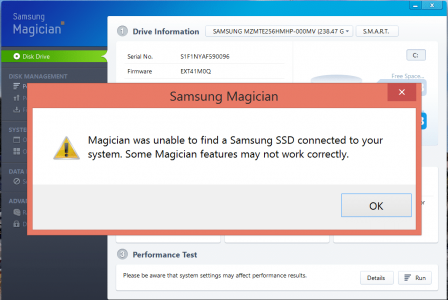
How do you find out what hard drive you have?
 
How do you find out what hard drive you have?

Capture.JPG
 
I ran HD Tune pro a couple of times and noticed performance gets better and better and more constant values.
Did not use DiskFresh.

See below after the fourth time running HD Tune pro.
Same as on my old (2012) Asus UX5aVZ ultrabook :) (below). Wish my SP3 performed like that :)

I don't see any difference using DiskFresh.

30-oktober-2014_20-35.png

30-oktober-2014_20-36.png
 
I ran HD Tune pro a couple of times and noticed performance gets better and better and more constant values.
Did not use DiskFresh.

See below after the fourth time running HD Tune pro.
Same as on my old (2012) Asus UX5aVZ ultrabook :) (below). Wish my SP3 performed like that :)

I don't see any difference using DiskFresh.

View attachment 4298
View attachment 4299

That bottom one is a raid 0 set, divide by 2 for disk performance :-)
 
You don't have any problem. In fact, I don't think that you have a Samsung SSD.

Yes, I am aware of that. I just wanted to demonstrate the effectiveness, if any, of the refresh utility, albeit on a different SSD
Wasn't that the Title of the thread "Improving SSD performance"

That's the Hynix part number

Same as above
 
Sadly, doing a refresh (regular and dead only) did nothing for my Samsung SSD SP3. My burst rate stayed at 20MBs before at after refreshing.

How did you manage to get your burst over 100MBs ctitanic?
 
Back
Top